Your coaching system · with a real coach behind it

Your ThriveZone app

Imagine a system that helps you keep your training, nutrition, sleep and healthy habits on track every single day — and, behind it, a real coach who reviews what you log, responds to it, and talks things through with you. That's the Thrive Zone app: your daily plan, your training, your food, your sleep and your Protective Shield in one place. It runs on the ThriveZone Personal Training Framework that I've built with clients over 19 years — the five pillars, the Protective Shield, and the mechanism behind each habit. You log what you did; I see where you stand and shape your coaching around it. Your plan is already waiting — all you have to do is start.

🗓
Your day
Your personal daily structure — on your schedule.
🍽
Food — just say it
Tap instead of type. Tap = logged.
‹Thu, 17 July›
Today
Protective Shield
strong today
82
Integrity
🍽 Macros today1,480 / 2,100 kcal
Protein 111 / 150 g
Carbs · Fat
🔥 Streak 12
☀️ Light 9
💪 Training 4
Your day
06:30
☀️
Morning light
10 min outside · sets your body clock
✓
07:15
🍳
Breakfast
Protein bircher bowl · 43 g protein
✓
12:00
🚶
Walk after eating
10–15 min
✓
12:45
🥗
Lunch
Chicken bowl
17:00
🏋️
Training
Full body · 45 min
22:00
🌙
Wind-down
4:6 breathing · dim the lights
+ 🍎 Snack+ 🚶 Activity+ 💬 Andreas
🗓🍽🏋️💬👤
🛡
Your Protective Shield
See at a glance where you stand.
💬
Message to Andreas
I'm on the other side — and I see how it's going.
🩺
Symptom tracker
With a body map — spot patterns over time.
This is your day in the app — the "Today" view.

What makes this app different

I've put my coaching system into an app — built around exactly how we work together.

🎯

Straight from the framework

Your goals, habits and progressions come from the ThriveZone Personal Training Framework — 19 years of hands-on practice, plus where the sports science currently stands.

🧠

The why comes with it

Every habit comes with the reasoning behind it, and a source you can tap. So you always know why you're doing it.

🪶

Built for consistency

Tap, speak, done. Today's session matters more than the perfect plan for next year — and that's exactly what the app is built around.

Up and running in 3 steps

Order matters: add the icon to your home screen first, then sign in. Safari and the home-screen app store logins separately. Sign in from the home screen and you’re signed in where you’ll use the app every day.

1

Add it to your home screen

Scroll down and tap Open the app →. It opens in Safari. Tap the Share button in Safari (square with an arrow), then tap Add to Home Screen. The icon then sits on your home screen like any other app.

⬆️ Tap Share
➕ “Add to Home Screen”
📲 Home screen first — you’ll sign in from there in a moment.
2

Open it and sign in

Open the app from its new home-screen icon and enter your email address. You’ll get an email with an 8-digit code within a few seconds.

ThriveZoneSign in
you@email.com
Request code
3

Enter the code

Type in the code from the email and you’re in. You’ll stay signed in — next time, just tap the icon.

Code from the email
47190253
✓ Sign in once — the app remembers you.

How the app works

It all revolves around your day. Your plan is already there — you dive straight in.

🗓 Your day

At the top you see everything on today's list — training, meals, movement, sleep, small habits. Done? One tap. The small stuff shows up as a slim row; the big ones — training and meals — get a full card.

Tap an item → done ✓
Today · Mon, 30 June3 to go
🚶 Morning activation
🏋️ Training · Push
🍽 Lunch
Log a meal
🎤
"2 eggs and a slice of toast" — speak or type
✨
📷 Photo of your meal
🔎 Search for a food

🍽 Food — just say it

The fastest way: tap the "speak or type" field at the top and speak (the mic on your keyboard) or type what you ate — the app recognises it and works out the nutrition for you. Or snap a photo. Or search for a food. Your favourites and the staples I set up for you are always ready.

Speak · photo · search — take your pick

🏋️ Training

Tap your session — every exercise with weight, reps and effort (RIR). On every exercise you see your last time as an anchor, so you know where there's room to push. Set by set, logged right there in the studio.

Tap an exercise → log your sets
Push · today
🏋️ Bench press last 55 kg × 8
🏋️ Shoulder press last 22.5 × 10
84%Shield
Training · Nutrition · Sleep · Movement

🛡 Your Protective Shield

Right at the top, you see in real time how solidly your pillars are standing today — training, nutrition, sleep, movement. The more consistent you are, the fuller your shield gets. It's your daily read on where you stand, at a glance.

Grows with every box you tick

☀️ Your vitamin D sun calculator

Minute by minute, the app works out how much vitamin D the sun is making in your skin right now — from the sun's position, your skin type and what you're wearing. It shows you the shortest time that's enough today. Anything beyond that adds no vitamin D, only skin damage. One tap checks off the day; if you want the detail, tap “details”.

March to October · in winter the app reminds you about your level and supplement
☀️
Vitamin D sun
now ~50% · about 11 min · until 16:15
☀️ As little as it takes

What else is packed in

Little details that matter day to day — right where you need them.

Movement

🚶 A walk after meals

Short walks after meals blunt your blood-sugar spike — built firmly into your day. (RCT: DiPietro et al. 2013, Diabetes Care · Meta: Buffey et al. 2022, Sports Medicine)

Nutrition

🌱 Plant variety & fibre

Counts how many different plant families you eat — for a robust gut microbiome.

Nutrition

🥚 Protein quality

Works out how much of your protein your body can actually use — the quality added up across the day.

Nutrition

💊 Your supplement stack

I set up your supplements with timing — you just check them off at the right meal.

Movement

👣 Steps with target tiers

Base, Healthy, Active — one line that fills and lights up with every step.

Consistency

🔥 Streaks

See how many days in a row you keep a habit going. Sticking with it turns into something you can see.

Recovery

😴 Sleep & power nap

Sleep feeds into your shield — and a power nap takes the edge off a short night.

Mindset

📓 Focus & reflection

A short morning focus, a short evening check. Your mind is part of the training.

Anywhere

📡 Works offline

In the studio, the park, on a plane — track without a signal, and it syncs later on its own.

Knowledge

ⓘ The science built in

A tap on ⓘ shows you the why behind each habit — with a source you can read up on.

Built by me — tuned to my coaching

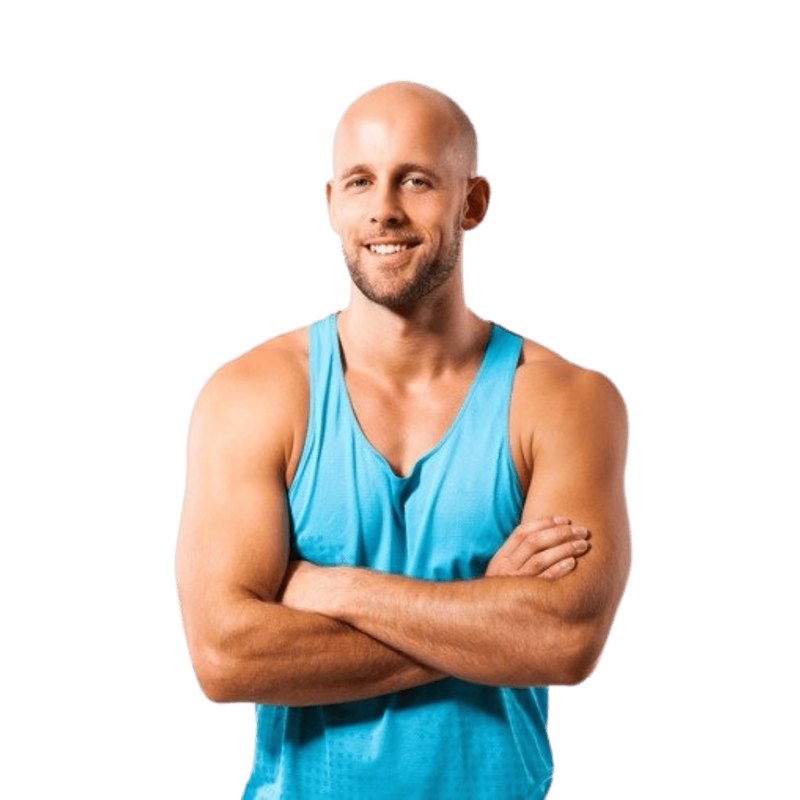
Andreas Heumann, personal trainer in Berlin-Mitte

"Today's session matters more than the plan for next year. This app captures exactly those sessions — every day, at your pace."

— Andreas Heumann · Thrive Zone Personal Training

I've worked as a personal trainer and sports scientist in Berlin-Mitte for 19 years. Over that time the ThriveZone Personal Training Framework took shape — out of hands-on work with clients and where the sports science currently stands. That's the exact system now inside the app: the five pillars, your Protective Shield, the progression logic, and the mechanism behind each habit.

One example: Mirko starts at 47 — zero pull-ups, a heavily rounded upper back, low strength numbers. Today, at 50, he's fitter than he was at 20, 30 or 40. Ten pull-ups with added weight, eight kilos of muscle built. The foundation: structure, patience, and sticking with it. That's exactly what the app keeps in place for you — every day, at your pace.

— Andreas · Thrive Zone Personal Training

Privacy & your consent

The short version: in the app we process health and fitness data (your training, nutrition, sleep, steps, and photos if you use them). That's specially protected data (Art. 9 GDPR) — which is why we need your explicit consent. Your data is stored encrypted on servers in the EU (Frankfurt), is never sold, and is used only for your coaching. You can withdraw your consent at any time and ask for your data to be deleted.
Full privacy notice (app)

1. Controller
Andreas Heumann · Thrive Zone Personal Training · Otto-Weidt-Platz 10, 10557 Berlin · andreas@heumann-personaltraining.berlin

2. What data we process
(a) Sign-in: your email address. (b) Training and health data you enter: training sessions, sets/weights, nutrition/meals, sleep, steps, movement, supplements and, where applicable, body measurements. If you turn on cycle tracking, also your cycle details (start and end of your period, bleeding between periods, whether you use hormonal contraception or hormone therapy, and your optional monthly check-in). (c) Optional: photos of meals or nutrition labels, and free-text/voice input, if you use those features. Some of this is health data within the meaning of Art. 9 GDPR.

3. Purpose & legal basis
We process this data to provide your training, nutrition and daily coaching and to support you as your trainer. The legal basis is your explicit consent (Art. 6(1)(a) and Art. 9(2)(a) GDPR). You give it here on this page and can withdraw it at any time, effective going forward.

4. Sign-in via one-time code (Supabase Auth & Brevo)
To sign you in, we send you an 8-digit one-time code by email. Emails are sent via Brevo (Sendinblue GmbH, Köpenicker Straße 126, 10179 Berlin). User management runs via Supabase (see 5).

5. Storing your data (Supabase, EU)
Your data is stored in a database hosted by Supabase; the servers are in the EU (Frankfurt am Main). The data is encrypted in transit and at rest. There is a data-processing agreement with Supabase under Art. 28 GDPR; for any transfers to third countries, the EU Standard Contractual Clauses apply.

6. Optional AI analysis (Anthropic)
If you use the photo, voice or label feature, the relevant content (photo or text) is sent to Anthropic (Anthropic PBC, USA) for automatic analysis. Anthropic processes the content solely to answer the request, does not use API data to train AI models, and deletes technical logs after 7 days by default. There is a data-processing agreement with EU Standard Contractual Clauses. These features are optional — you can use the app entirely without photo/voice and log meals manually.

7. Delivering the app (Cloudflare)
The app is served via Cloudflare (Cloudflare Inc.). Technically necessary connection data is processed; there is a data-processing agreement with EU Standard Contractual Clauses. The connection is TLS-encrypted throughout.

8. Who sees your data (coach access)
Your trainer Andreas Heumann sees the training and tracking data you record in the app — that's exactly the point of the app, so your coaching can respond to your real data. One exception: Andreas only sees your cycle details if you explicitly allow it in the app — and you can withdraw that at any time. There is no sharing with third parties for advertising, and no sale.

9. Retention
We store your data for as long as your coaching relationship lasts, or as long as you use the app. At your request, or after your coaching ends, your data is deleted.

10. Your rights
You have the right to access, rectification, erasure, restriction of processing, data portability and objection (Art. 15–21 GDPR), as well as the right to withdraw your consent at any time. You also have the right to lodge a complaint with a supervisory authority — in Berlin: Berliner Beauftragte für Datenschutz und Informationsfreiheit, Alt-Moabit 59–61, 10555 Berlin. For access or deletion, an email to andreas@heumann-personaltraining.berlin is enough.

11. Taking part is voluntary
Using the app is voluntary. Without your consent we can't provide the app to you; but you can withdraw your consent at any time and ask for deletion, with no disadvantage to the rest of your coaching.

As of October 2026 (cycle details added) · draft — have it legally reviewed before wide use.
📖 The complete user guide
Every screen of the app, step by step, with pictures — from setup to the last button: thrivezone-academy.de/en/app/guide/

Questions about the app or privacy? Just email me: andreas@heumann-personaltraining.berlin